
Diploma in Designing Courses (DDC)

Design is no longer a supporting skill, it has now become a career in itself. The Diploma in designing Course covers everything from computer fundamentals to professional-grade graphic design, web design, and multimedia animation. So, in 18 months, go from knowing the basics to building work that meets industry expectations.
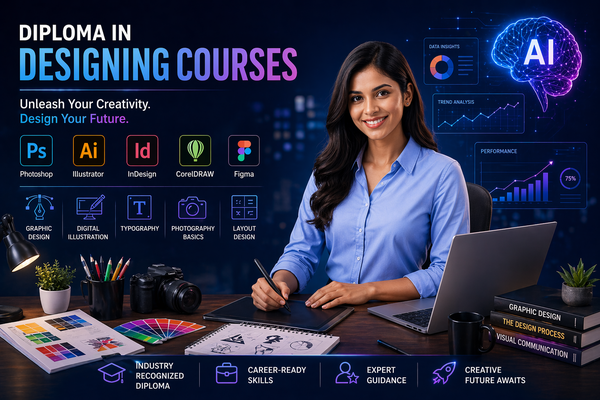
Diploma in Designing Courses (DDC)

Course Overview

A Course That Covers Every Creative Skill the Industry Demands

Design skills without a foundation do not last. That is why we at Utkaarsh Education begin the Diploma in designing Course with computer fundamentals, typing, and a working command of MS-Office, Word, Excel, and PowerPoint.

These are not filler subjects. They are the practical backbone every student needs when working with clients, handling briefs, and managing project files on the job.

Also, our Graphic Designing modules include CorelDRAW, Photoshop, InDesign, and Illustrator, those applications that studios, agencies, and freelancers actually get hired for.

At the end of it, there is Multimedia and Animation, bringing everything together into an area of expertise which not only gets doors opened but keeps them opened too.

What You Will Learn?

Gain solid proficiency in computer handling, typing skills, and MS Office software, which would prove useful across the entire scope of your designs.
Learn to use industry-standard graphic design software such as CorelDRAW, Photoshop, Illustrator, and InDesign, making something tangible right from the start.
Developing functional web design skills using HTML, DHTML, and JavaScript, moving from static layouts to interactive, and browserready pages.
Producing multimedia and animation projects using 2D, 3Ds Max, and, completing the full arc from print design to motion and digital media.

Why Choose Utkaarsh Education for the Diploma in Designing Course?

Course Curriculum that Covers Everything
Graphic design, web design, multimedia and animation, we teach them all. Our courses include everything about graphics, web design, multimedia, and animation in a 18 months course, leaving our graduates with a comprehensive portfolio.

Tools That the Industry Uses
Here you will not learn any old tools nor anything theoretical. The tools that we teach in the program like Photoshop, Illustrator, CorelDRAW, 3Ds Max, all are being hired by companies right now.

Structured to Build Confidence Early
There is a reason why we begin with the basics. Students who understand how everything works, from managing the files to the final output, will produce much better and error-free work.

Practical Output at Every Stage
Each module ends with practical assignments. Upon graduating from DDC, our graduates will have enough practical assignments, experience working with different tools and know the next step in their respective career.

Industry-Recognized

Get certified with skills that employers actively seek

Expert Instructors

Learn from industry professionals with 10+ years experience

Hands-On Projects

Build real-world projects to strengthen your portfolio

Career Support

Get placement assistance and career guidance

Your Instructor

Anuj Sir

5+ Years

Hi, I’m Mr. Anuj, a design instructor specializing in graphic design and UI/UX, helping students bui

Available Batches

Morning Batch

8:00 AM - 10:00 PM

Evening Batch

2:00 PM - 3:00 PM

What You'll Learn

Master in-demand data skills with our practical, industry-focused curriculum designed to get you job-ready.

Graphic Design Fundamentals

Understanding core principles of design such as balance, contrast, alignment, and typography to create visually appealing graphics.

Adobe Photoshop Skills

Editing images, creating posters, social media creatives, and professional photo manipulation using Photoshop tools.

Adobe Illustrator Skills

Creating vector-based logos, icons, illustrations, and scalable artwork for branding and digital media.

UI/UX Design Basics

Designing user-friendly interfaces and improving user experience for websites and mobile applications.

Color Theory & Typography

Learning how colors and fonts impact design psychology and how to combine them effectively for strong visuals.

Branding & Logo Design

Creating unique brand identities, logos, and visual systems that represent businesses professionally.

Layout & Composition Design

Arranging visual elements properly in posters, brochures, and digital designs for better readability and impact.

Creative Thinking & Visualization

Developing ideas into creative concepts and transforming imagination into practical design outputs.

Course Curriculum

A structured learning path designed to take you from basics to advanced topics.

Topics Covered:
  • Getting familiar with computers and becoming comfortable using them
  • Understanding the basics of computers in a simple, non-technical way
  • Understanding input and output devices and how they interact with the operating system
  • Efficiently navigating Windows and understanding basic system functions
  • File and folder naming conventions, systematising work to prevent data loss
  • Time saving keyboard shortcuts for daily productivity
  • Typing Skills
  • Correct finger placement and home row technique
  • Focus on accuracy first, then gradually improve speed
  • Use of typing software to track progress and set goals
  • Achieving professional typing speed for office work

Topics Covered:
  • MS Word
  • Preparing document before typing- margins, page size, orientation
  • Headers, footers, and automatic page numbering that update automatically
  • Tables, ability to insert images, and formatting of text uniformly to professional documents
  • Mail merge for bulk personalised communication
  • Saving work as PDF to ensure it does open correctly on different devices
  • MS Excel
  • Learning the definition of a cell and the relation between rows, columns and sheets
  • Best data entry practices to maintain clean spreadsheets to work with in the future
  • Essential formulas such as SUM, AVERAGE, COUNT, IF described without complicating them
  • Sorting, filtering, and creating simple charts that convey data easily
  • Professional looking data lists, attendance sheets and budgets of practical projects
  • MS PowerPoint
  • Using themes, layouts, and backgrounds to create structured presentations
  • Using transitions and animations effectively and when not to use them
  • Slide sequencing and presenter notes to give a confident presentation
  • Exports presentation as PDF to share with individuals that do not have PowerPoint

Topics Covered:
  • Design Thinking Overview
  • Understanding graphic design as solving visual communication problems
  • Learning the colour theory of primary, secondary, warm, cool, and complementary colours and their importance
  • Typography principles: selecting fonts that match the desired outcome
  • Balance in layout and composition, alignment, spacing and hierarchy
  • CorelDRAW
  • Introduction to interfaces and proper document setup
  • Understanding vector vs raster graphics and their importance in design
  • Drawing lines, shapes, curves and using Bezier tool
  • Text tools, arrangement of objects, and grouping
  • Designing logos, business cards, and layouts to be printed
  • Sending files to be printed and used digitally
  • Adobe Photoshop
  • Learning pixels, resolution, and size of the image
  • Foundation of raster image editing using Photoshop
  • Selection tools: marquee, lasso, magic wand, and quick selection
  • Retouching healing brush, clone stamp and adjustments
  • Playing with colour intensity, curves, colour and saturation
  • Design of social media images, posters, and photo edits
  • Adobe InDesign
  • What InDesign is to multi-page documents, magazines, brochures
  • How to use master pages to maintain consistent layouts across multiple pages
  • Adding and connecting text and pictures
  • Styling paragraphs and characters to give them a consistent formatting
  • Exporting print-ready PDFs with correct settings
  • Adobe Illustrator
  • Working with shapes, pathfinder, and compound paths
  • Developing icons, drawings, and scalable images
  • Pattern fills, gradients and colour swatches
  • How to create vector graphics using anchor points and the pen tool

Topics Covered:
  • How the Web Works
  • What really occurs between your browser and a server when you access a site
  • Basic difference between a web page, website, and web application
  • Pre-planning a site: plan code, wireframe, and content structure before code
  • Learning why proper planning is essential for successful projects
  • HTML
  • HTML forms the structure of every webpage
  • Tags, elements, and attributes, including their nesting and interactions
  • Practical uses of headings, paragraphs, links, images, lists, and tables
  • Able to create a complete webpage by the end of this section
  • CSS3
  • Understanding how CSS is used to style web pages
  • Learning the relationship between HTML (structure) and CSS (design)
  • Styling text, colours, layouts, and spacing
  • Responsive design using media queries (mobile-friendly websites)
  • Basics of Flexbox and Grid for layout design
  • JavaScript
  • JavaScript enables interactivity and dynamic behaviour on web pages
  • Variables, functions, and simple logic described without being too complex
  • Handling user interactions like button clicks and form inputs
  • Practical mini project image sliders, dropdown menus and simple form validation
  • Project Deployment
  • Basic website creation using modern code editors e.g., VS Code
  • Linking pages, being able to manage the site files, and preview in the browser in the process
  • Properly adding pictures, video and sound to pages
  • Publishing a completed site by uploading files to live server correctly

Topics Covered:
  • Digital Design Tools
  • Designing social media creatives using Canva
  • Basic video editing (cuts, transitions, audio) using beginner-friendly tools
  • How to create social media posts, reels, and so on for real-world use
  • 2D Animation
  • The principles of animation timing, spacing, squash, stretch, and anticipation
  • Frame-by-frame animation and the process of creating movement frame by frame
  • How Tweening allows software to generate motion between keyframes
  • Practical project: animating a simple character, icon, or a logo sequence
  • 3Ds Max
  • Knowing the axes of the 3D workspace, the viewports and how to move without losing track
  • Creating and editing 3D objects using basic modelling techniques
  • Applying materials and textures (wood, metal, glass, fabric) to 3D objects
  • How to use three-point lighting for clean and professional renders
  • Rendering images with proper composition and camera positioning

Who Can Master This Course?

Perfect for ambitious individuals ready to launch or upgrade their career.

Students & Freshers

Kickstart your career with high-demand skills.

Working Professionals

Upskill to transition into better roles & salary.

Career Switchers

Transition into tech from non-tech backgrounds.

Entrepreneurs

Make data-driven decisions for business growth.

Career Opportunities

Roles you can target after this course.

Graphic Designer UI/UX Designer Web Designer Motion Graphics Designer Visual Designer Branding Designer Social Media Designer Illustrator Video Editor Creative Designer

Ready to Start Your Journey in Diploma in Designing Courses (DDC) ?

Join our expert-led offline batches and master high-demand skills with 100% practical training. Fill out the form and our career advisor will get in touch shortly.

100% Practical Training
Industry Expert Trainers
Career & Placement Support

Request a Free Career Demo

WhatsApp